

1 · Why They Matter
2 · Quality Thresholds
3 · Core Principles
- Trigger‑based > Broadcasts – React to user actions (wins, risks) instead of fixed schedules.
- Personalize – Use
${username}placeholder to personalize notifications with usernames. - Copy rules – ≤ 30‑char title, 1–2 emojis, clear value + curiosity gap.
4 · Trigger Library
5 · Frequency & Control
- Start at ≤ 1 push/day; add more only if retention rises.
- Present a clear opt‑out path; trust drives long‑term engagement.
6 · Copy Cheatsheet
- Lead with benefit: “Earn 50 coins” beats “Check the app”.
- Curiosity: “Something new awaits …”.
- Concrete numbers: “30 s left” > “Hurry up”.
- Avoid vague, generic, or feature‑only blasts.
7 · Test & Improve
8 · Integrations
- Gamification – Push on badge earned, streak day, leaderboard change.
- Virality – Notify referrer when invitee signs up or hits milestones.
- Core value – Release drops, new content, feature unlocks.
9 · Home‑Screen Badge
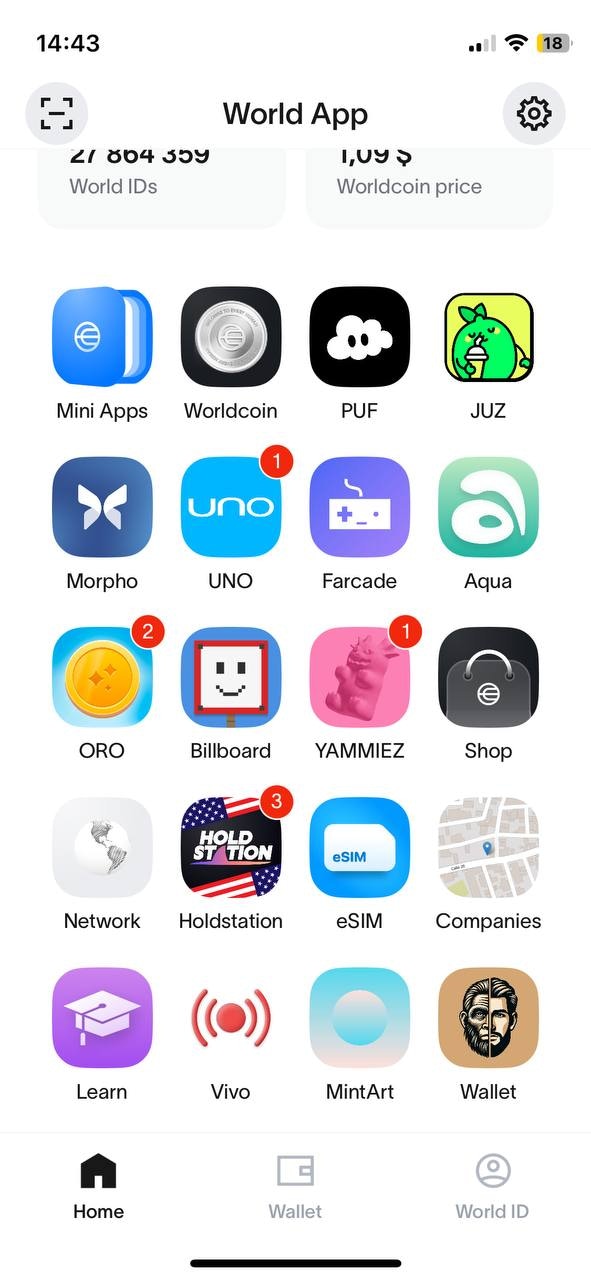
10 · Implementation Checklist
- Ask permission after first value delivered
- Use
${username}in every push - Include
mini_app_pathdeep link - Limit to ≤ 1 notification/day at launch
- Monitor 7‑day open rate weekly
- A/B test copy monthly
- Iterate triggers; retire low performers