Referral programs are proven growth drivers because they leverage trust. People are 4x more likely to try something recommended by a friend versus discovering it through ads. PayPal’s $20/$20 referral program produced 7-10% daily growth, while Dropbox’s free storage rewards drove 3900% growth in 15 months.
Step-by-Step Implementation
1. Set Up Universal Links
Create server-side invite pages that work across all platforms:
// pages/invite.tsxexport default function InvitePage({ code }: { code: string }) { useEffect(() => { // Redirect to mini app window.location.href = `https://world.org/mini-app?app_id=${YOUR_APP_ID}&path=/invite?code=${code}` }, [code]) return <div>Redirecting to mini app...</div>}
Universal-link formathttps://world.org/mini-app?app_id={app_id}&path={path}Deep-link (opens World App directly if installed)worldapp://mini-app?app_id={app_id}&path={path}To force opening in the device browser instead of the native webview, append open_out_of_window=true to the URL (works for both universal and deep links).Note: path should be URL encoded.
2. Generate Share Links
Create a shareable link that includes the referral information:
Add share buttons at key moments in your user journey:
import { MiniKit } from "@worldcoin/minikit-js";async function shareInvite() { const inviteLink = generateInviteLink(currentUser.id); try { await MiniKit.share({ title: "Join me on [Your App Name]!", text: `I'm using this amazing mini app. Join me and we both get rewards! 🎁`, url: inviteLink, }); // Track the share event trackEvent("invite_link_created", { user_id: currentUser.id, share_method: "native", }); } catch (error) { console.error("Share failed:", error); }}
World App prompts the install and then automatically forwards the user to your specified path.
Optimising Social-Share Previews
World app universal links will forward the og:image from your integration url.Eg. world.org/mini-app?app_id=1234&path=/invite?code=abcd will forward the og:image from [your-miniapp-url]/invite?code=abcd.
Inside World App Discovery
Quick Actions: Mini apps can hand off context to one another. Split distinct flows into focused apps that trigger each other with Quick Actions.
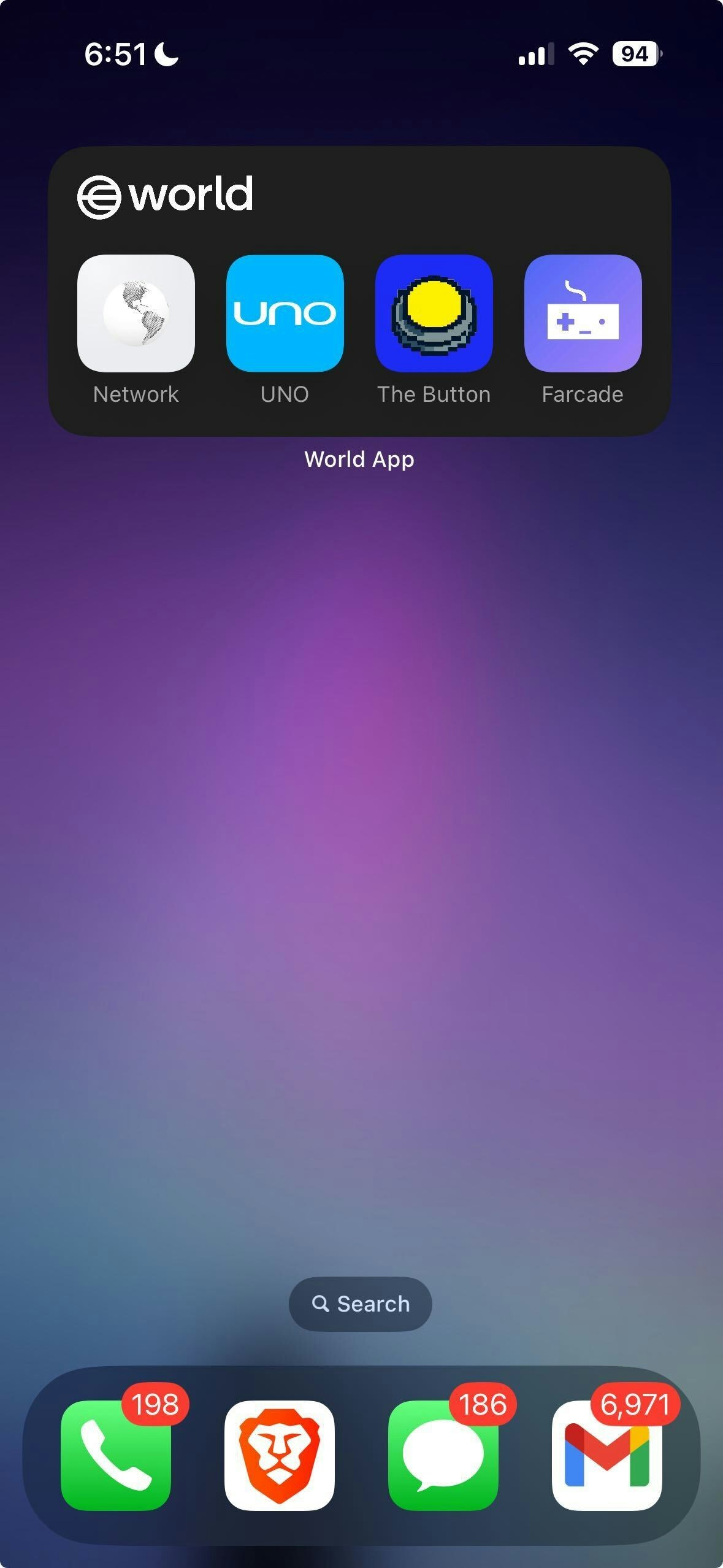
Widget: Your mini app can live on the phone’s home screen. Prompt the user to add the mini app as a widget in the home screen.
Widget on iOS
Design Best Practices
Placement Strategy
After first value delivery: When user completes their first meaningful action
Post-achievement: Right after earning a badge, completing a level, or winning
Onboarding finale: As the last step of user setup
Copy That Converts
Personal benefit first: “Get 100 coins for each friend who joins”
Mutual benefit: “You both get rewards when they sign up”
Social proof: “Join 10,000+ users already earning rewards”
Visual Design
Use prominent, action-oriented buttons (“Invite Friends”, “Share & Earn”)
Show potential rewards clearly with icons or progress bars
Include preview of what the shared content looks like
Metrics to Track
Monitor these key events to measure your viral loop performance: