> ## Documentation Index
> Fetch the complete documentation index at: https://docs.world.org/llms.txt
> Use this file to discover all available pages before exploring further.
# Send Notifications
Please take a minute to read the [Features & Guidelines](/mini-apps/guidelines/features-and-guidelines).
It's important to follow these, otherwise we may disable your ability to send notifications.
To send notifications to users you need to:
* Request permission in the Developer Portal Advanced settings, for your mini app,
* Request permission to send notifications from the user, via MiniKit (see [Request Permission](/mini-apps/commands/request-permission)),
* Actually send the notification using our API or the Developer Portal.
## Calling the send-notification endpoint
The API endpoint provides capabilities for sending notifications programmatically. These notifications can be localized,
which ensures you reach users in their preferred language. This results in a dramatically higher engagement rate.
### Localization made simple
```javascript theme={null}
const response = await fetch(
"https://developer.worldcoin.org/api/v2/minikit/send-notification",
{
method: "POST",
headers: {
Authorization: `Bearer ${process.env.API_KEY}`,
"Content-Type": "application/json",
},
body: JSON.stringify({
app_id: "your_app_id",
wallet_addresses: ["0x123...", "0x456..."],
localisations: [
{
language: "en",
title: "🎉 Rewards Available",
message: "Hey ${username}, your daily rewards are ready!",
},
{
language: "es",
title: "🎉 Recompensas Disponibles",
message: "Hola ${username}, tus recompensas diarias están listas!",
},
{
language: "fr",
title: "🎉 Récompenses Disponibles",
message:
"Salut ${username}, vos récompenses quotidiennes sont prêtes!",
},
],
mini_app_path: "worldapp://mini-app?app_id=your_app_id&path=/rewards",
}),
}
);
```
Each user automatically receives the notification in their preferred language.
If their language isn't included in your localizations, you'll receive a specific `reason` in the response.
For complete API documentation including all supported languages and response formats, see the [API Reference](/api-reference/developer-portal/send-notification).
## Manually sending notifications from Developer Portal
This form doesn't support localized notifications yet. To take advantage of
localizations, use the API.
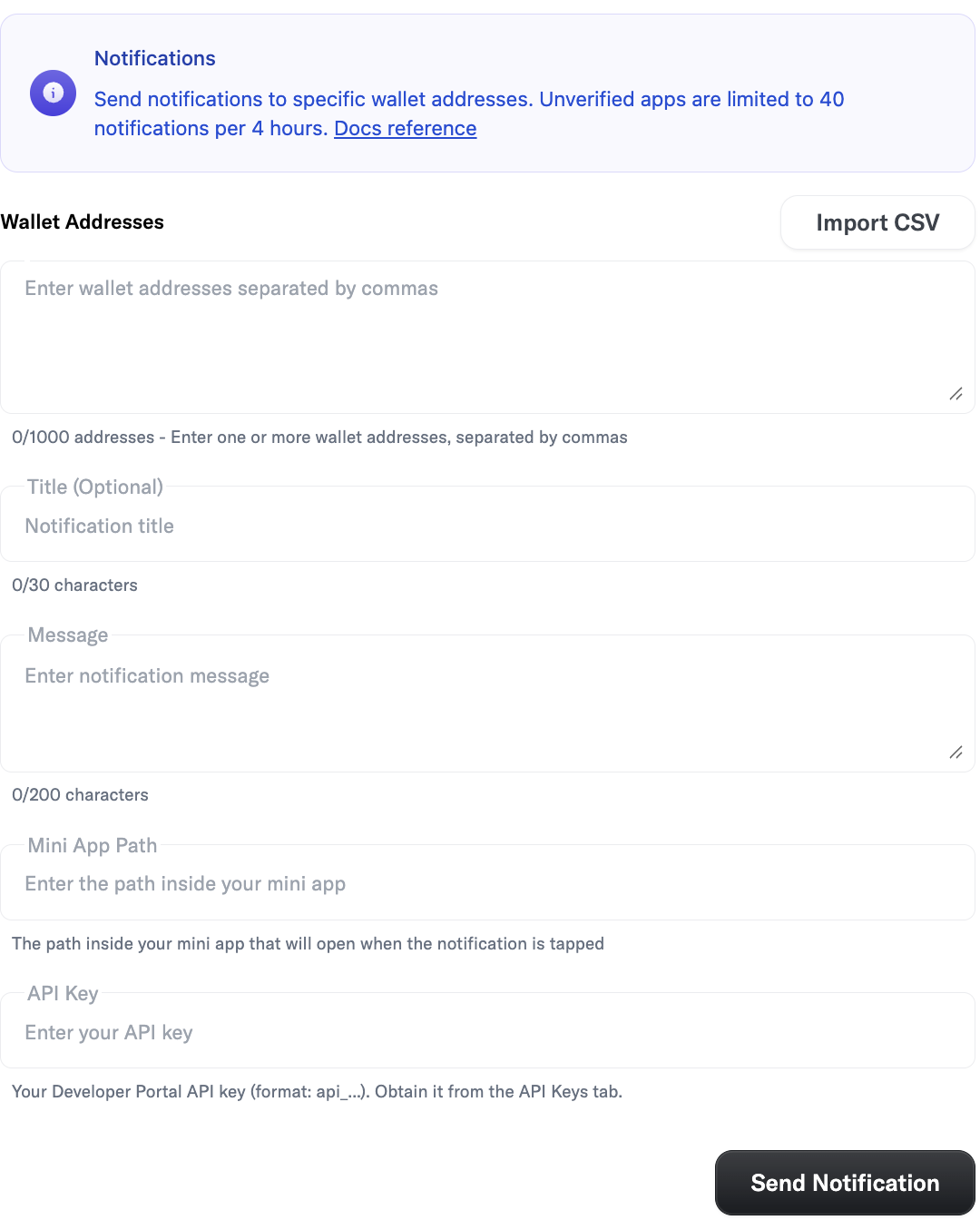
You can send notifications to multiple wallet addresses (up to 1000) directly from the Developer Portal.
Use the form to input addresses, and content details. Once you click the `Send` button and get a success response, your notifications will be queued for delivery.
## Testing
We currently have a limit of 40 notifications per 4 hours for unverified apps. This is to help you test your notification implementations.
Currently you will need to create a new app if your app is verified as it will default to the verified app's metadata. In addition, you need
to enable notifications for your mini app inside of World App to receive them.
## Useful links
* [Features & Guidelines](/mini-apps/guidelines/features-and-guidelines)
* [How To Request Notification Permissions](/mini-apps/commands/request-permission)
* [How To Get Notification Permissions](/mini-apps/commands/get-permissions)
* [Send Notification API Reference](/api-reference/developer-portal/send-notification)